Playing with OpenPLC
Recently I was wondering if there was a free alternative to the industrial version of microcontrollers, PLCs. That is when I discovered OpenPLC, which can compile standard PLC languages (IEC 61131-3 ,eg. ladder diagrams, function block diagram, etc.) to standard microcontrollers such as an ESP32 or any Arduino compatible chip. As a reader, you are probably wondering two things right now; what the fuck is a ladder diagram and why would I want to use those things. To answer those: An awful “visual” way to program, and because these languages happen to be the de-facto standard in many industrial applications.
OpenPLC
OpenPLC is a free (as in freedom, MIT (runtime) / GPL-3.0 (editor)) implementation of the IEC 61131-3 standard, partially at least. I, for one, know almost nothing about the standard besides some horrible memories of the monstrosity that Siemens calls TIA Portal. Of course OpenPLC is much smaller than TIA Portal, but this is also a strength that makes the software easier. The strength of PLC programming shows when you’re dealing with many simple I/O operations, so buttons, lights and other relatively simple modules. All programs are cyclic, use a state machine. The default cycle time in OpenPLC is 20ms.
Making a LED Blink using OpenPLC
As any good project involving hardware should start, I decided to make a small LED blink. Truly the pinnacle of engineering and a marvel of technology. (I mean, all humans have ever done using technology is boiling water and making lights go blinky). Making a LED blink in OpenPLC requires the following
- A hardware configuration that defines the output pins.
- A program that writes the LED state to a variable that is bound to the output pin.
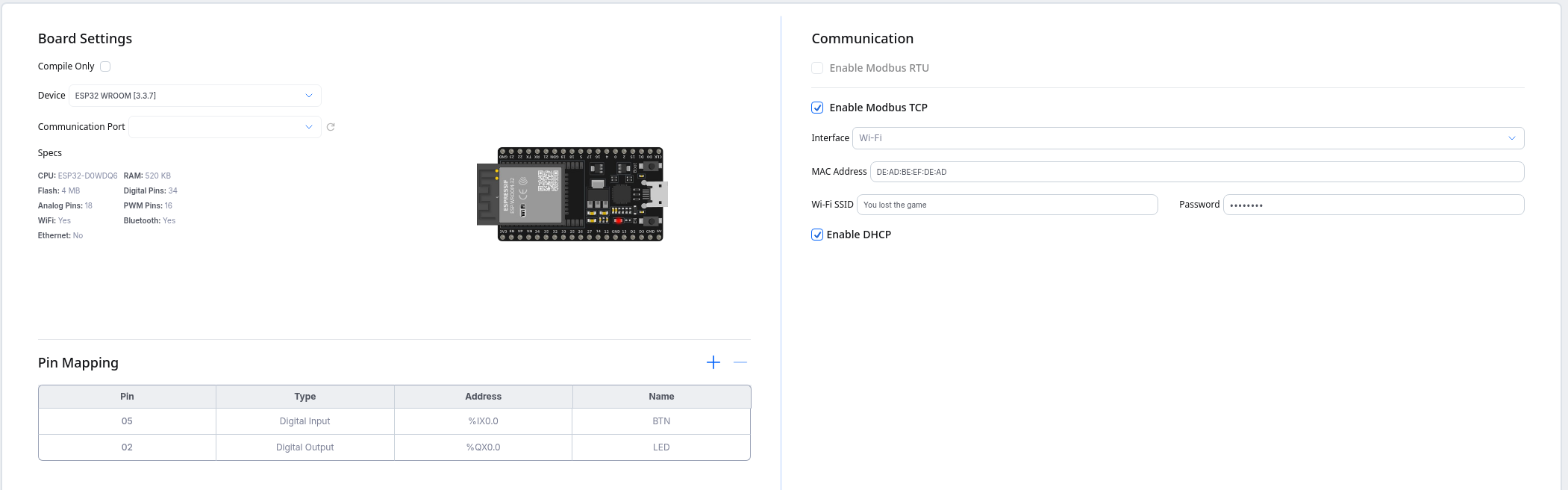
Configuring the hardware is simple (if your hardware is supported by OpenPLC!), simply select your device, and enter the pin mapping in the table
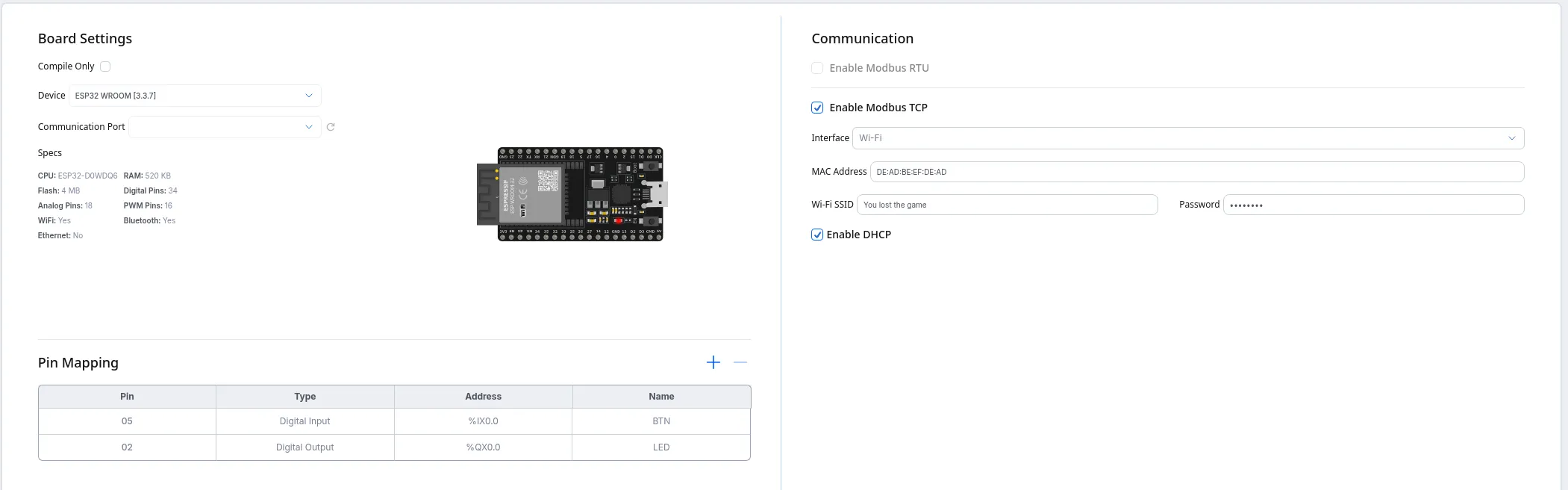
Writing the program is also very simple. You might need to get used to the concept of the entire program running in cycles. Most embedded programs I have seen have a cyclic nature (eg. Arduino’s loop function). However where many Arduino programs that are filled with delays and such, PLC programs are not. The cycle must complete, and may never take longer than its allowed timeslot. This is especially critical for Safety PLCs (Which do a lot more safety checking, and actually often have duplicate processors to catch hardware faults), which can not afford to finish processing something before handling an e-stop.
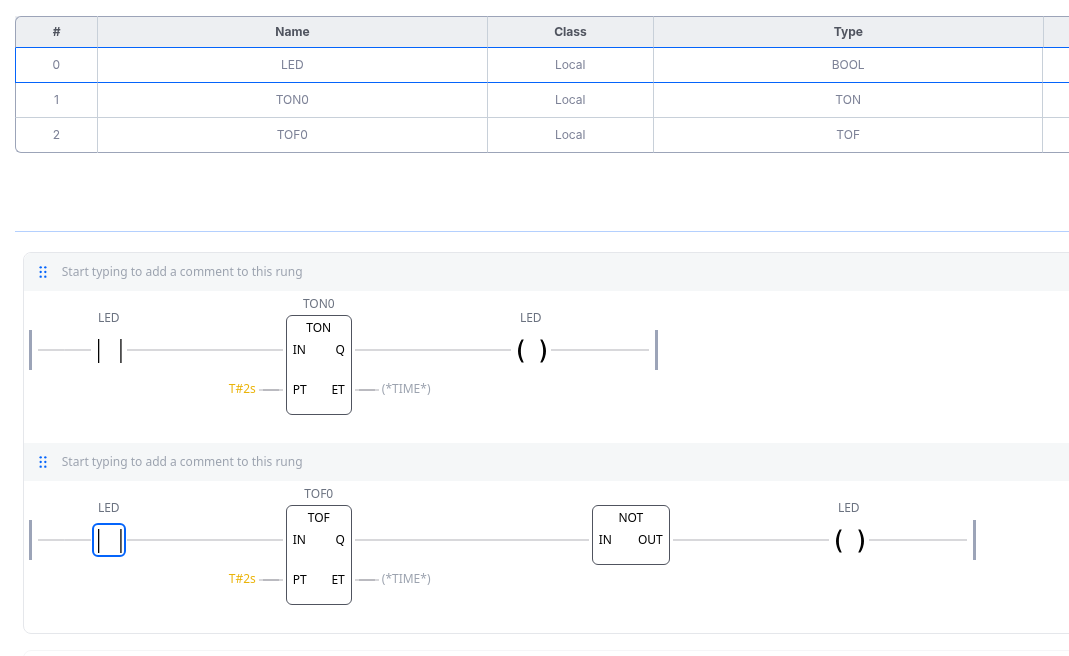
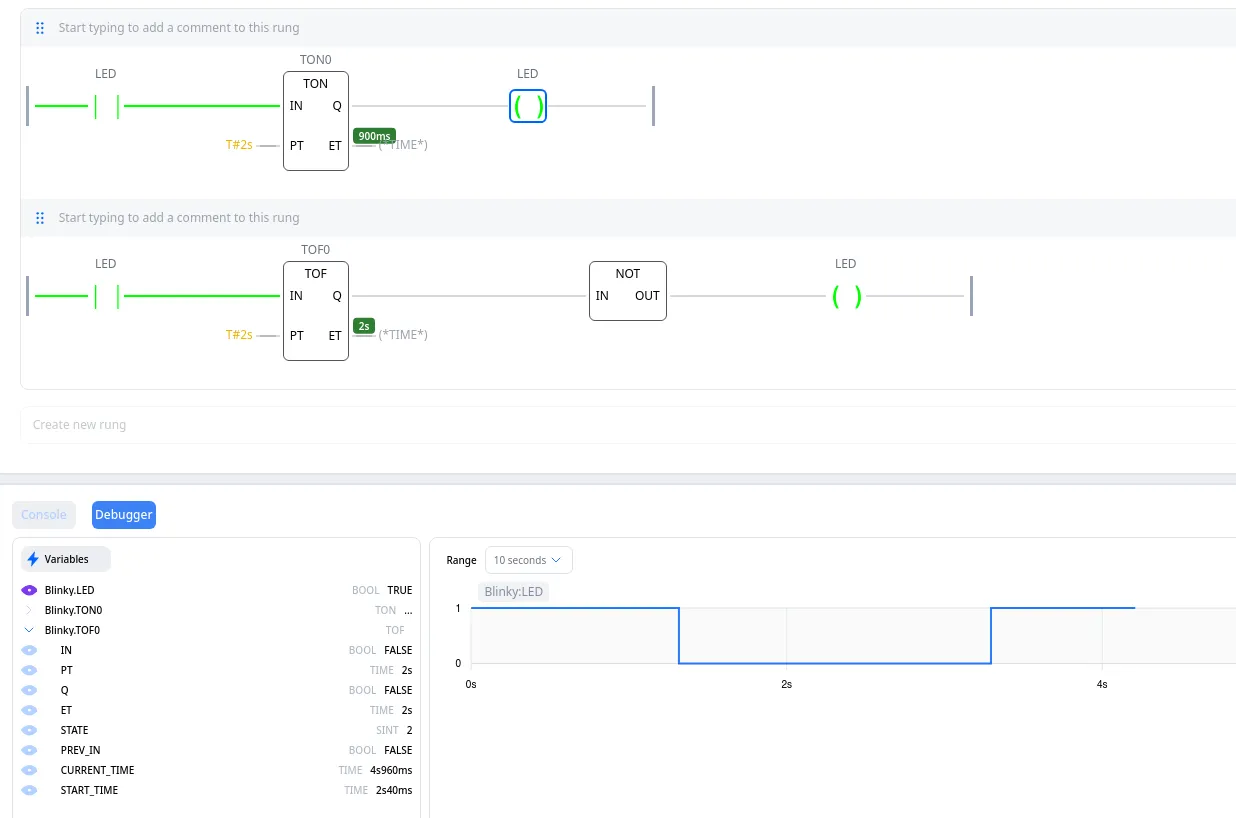
A ladder program to make a LED blink can be seen below
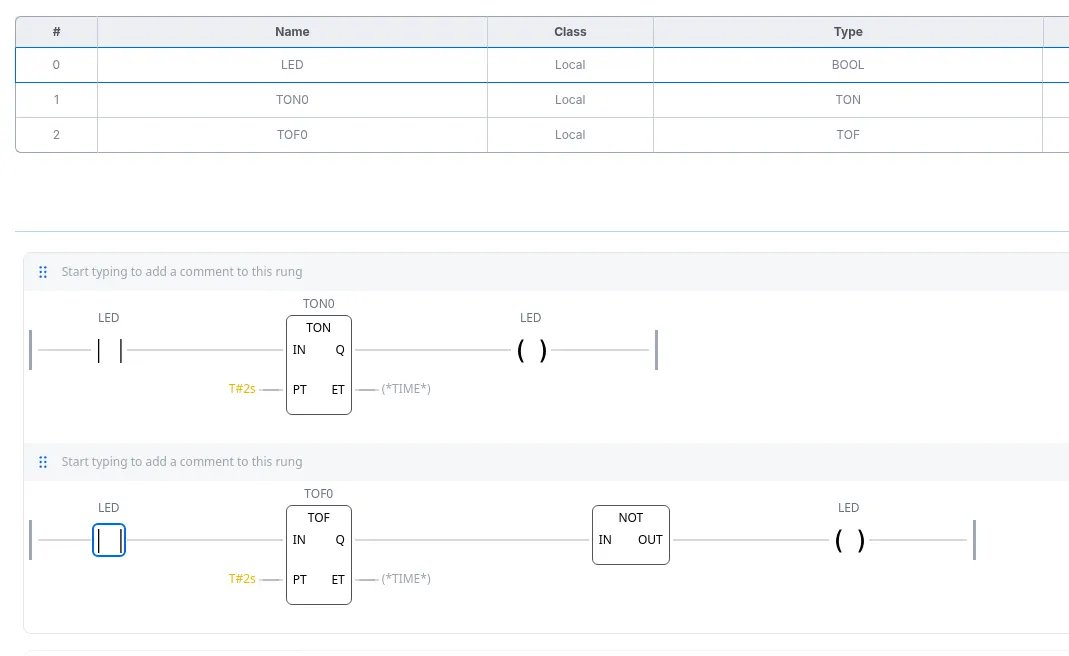
Ladder programs have contacts, coils and functions. (a contact represents an input relay, and a coil represents an output relay.) A contact gets the state of a variable, a function can do anything using that variable and a coil stores something to a variable. In the example code, I use three functions
- TON - This delays a signal turning ON, so if its input goes from LOW to HIGH, its output will turn HIGH after the input has been HIGH for a defined amount of time
- TOF - This delays a signal turning OFF, basically the opposite of TON.
- NOT - This takes an input, inverts it and outputs it.
The TON and TOF functions might make you think “but that would break the cycle”. Except that this is not true, all (enabled) functions execute every cycle. The TON and TOF simply hold internal variables (timestamps) that are compared every cycle. Only when the time has passed, the next functions of said rung are enabled.
Debugger
OpenPLC, like most ‘modern’ PLC programming environments that I have seen also contains a debugger. This debugger allows you to see the execution of a program in real time. You can see some important variables live in the Editor, and also (if enabled) a small graph of the value over time. (The debugger also allows you to forcefully overwrite a variable to a value of your desire.) This looks like this:
A different example, on real hardware
A (slightly) more complicated example is a button that will toggle a light, but the “PLC” will also disable the light automatically after a few seconds. This could be programmed as a ladder diagram, but for this example I will use a functional block diagram.
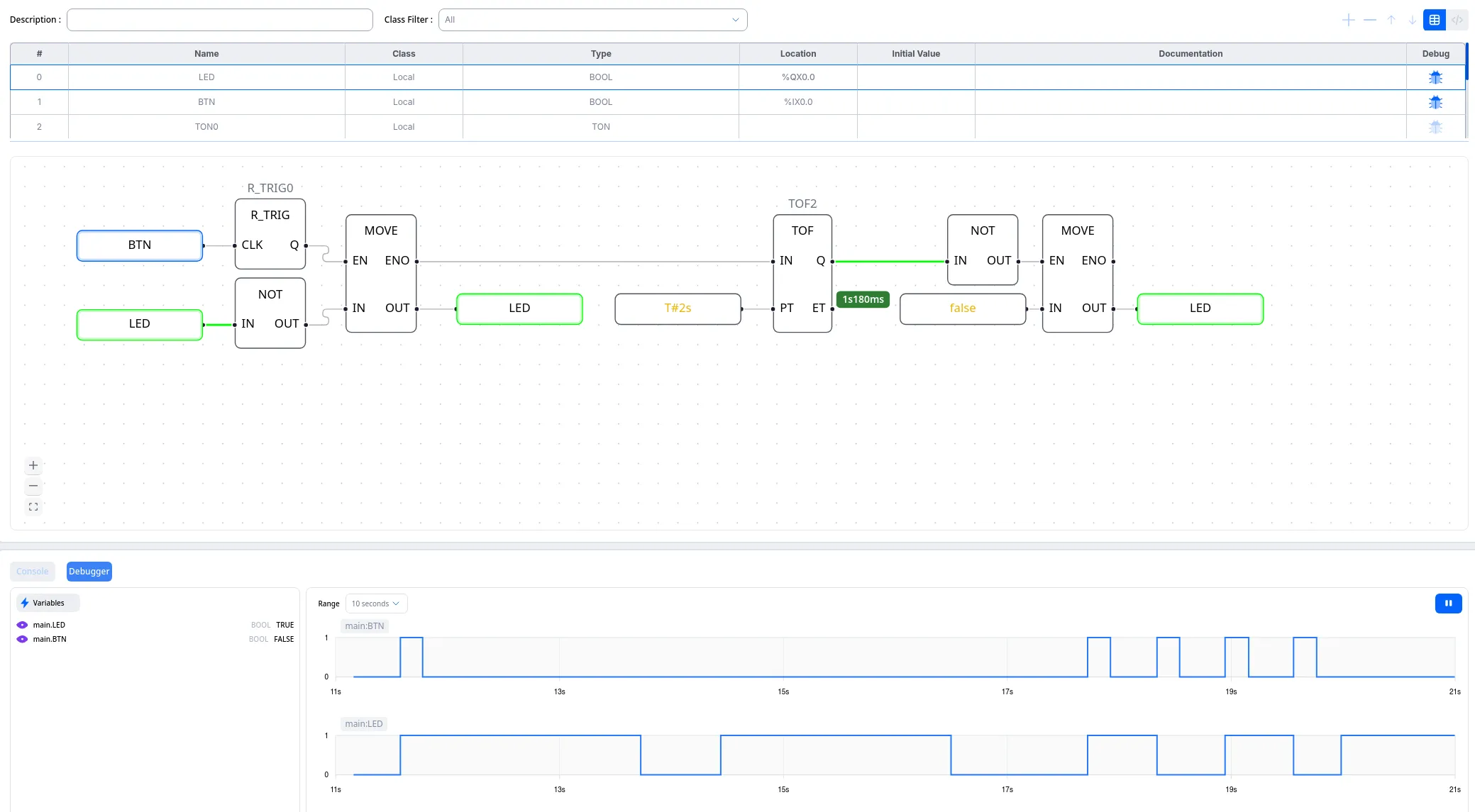
This program is a FBD, which looks completely different from a ladder diagram, but uses the same functions/variables/cyclic nature. This logic enables a MOVE function (that inverts the state of LED) whenever the button goes from LOW to HIGH (rising trigger). And when the move is completed, a TOF timer will turn the LED off again after two seconds, unless the button has disabled the light in the meantime already. Running and debugging it on real hardware (as defined before), is as simple as pressing the “run” button.
tldr;
OpenPLC is really interesting, for use cases where it is applicable. It shouldn’t be used to replace the software for an embedded microcontroller that does something very low-level. But it could be used for a more high-level application, such as a machine where the power should only be enabled if all safety switches are closed, and the e-stop has not been used at all.
Thank you for reading this article.If you spot any mistakes or if you would like to contact me, visit the contact page for more details.